Search relevance
Preview field priorities, synonyms and typo tolerance against the same content before applying.
Relevance controls matching and result order for the selected index. First confirm the expected documents are present in Content and have been published; ranking settings cannot recover a page that has not been indexed.
Establish useful queries
Try a known page title, a phrase from the body, a visitor’s terminology and a likely typo in Playground. Use no-result queries from Search analytics to find genuine vocabulary gaps.
Playground queries are diagnostic and do not add visitor analytics events.
Put useful fields first
Order the searchable attributes so more helpful matches have priority. Available fields include title, searchable text, snippet, source label, section label and category. Prioritize titles when an exact title match is more useful than a passing mention in an article, while keeping body content searchable.
Add synonyms and tune typos
Synonyms connect different names for a topic. For example, a query for “API key” might need to match “credentials”. Directional synonyms expand one term without automatically making the reverse expansion.
For a query that finds nothing, choose Add synonym in the Needs attention list on Search Overview or in the query's details in Analytics. It opens Relevance with a synonym draft for that query; review and preview it like any other change. In Overview, Test opens the query in Playground.
Use specific alternatives and check both phrases; overly broad synonyms make unrelated pages compete. An index can have up to 100 synonym terms, each with up to 10 alternatives. You can enable or disable typo tolerance and adjust the minimum word lengths for one or two typos.
Compare a draft with current results
Prepare draft settings and build a preview. Compare the current and proposed settings against the same documents, without changing visitor results.
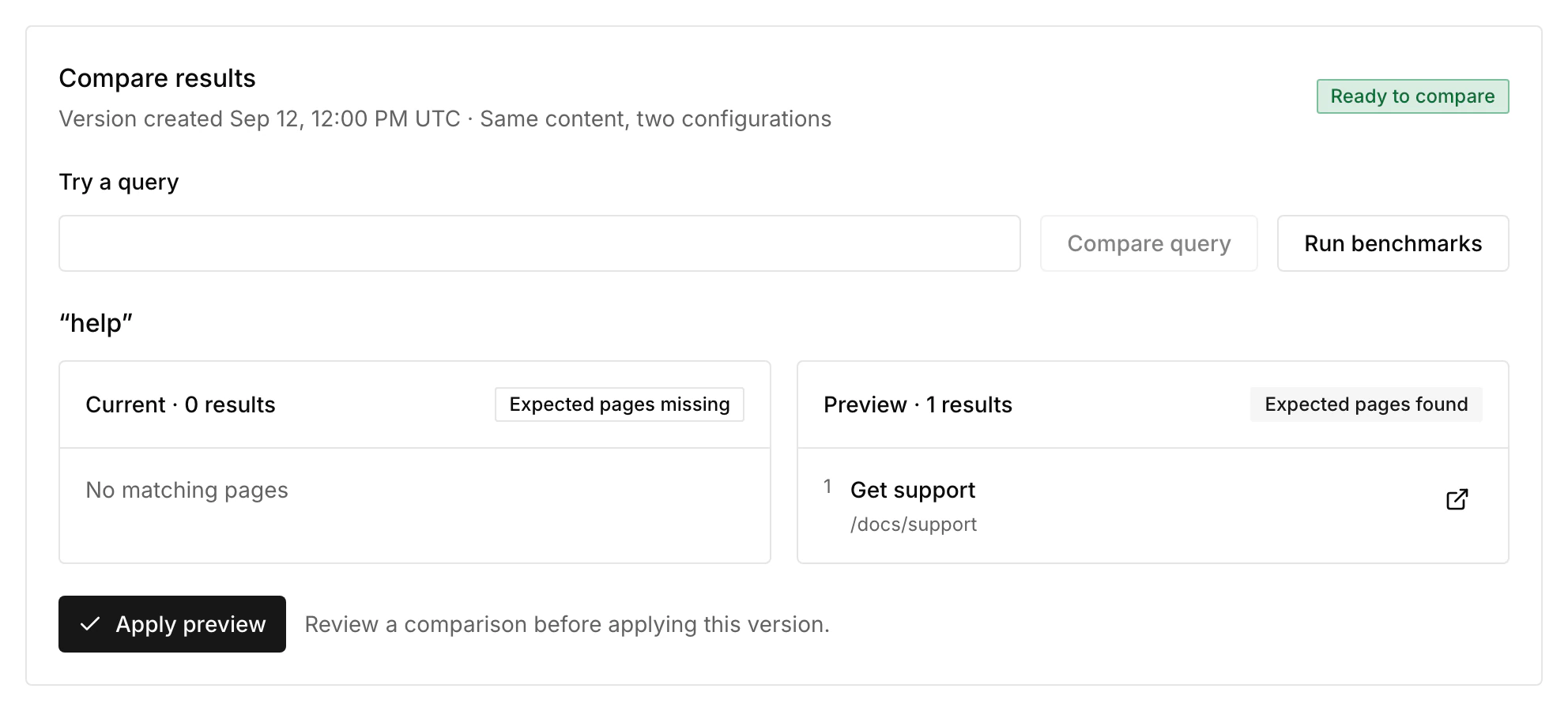
Add up to 10 benchmark queries and up to five expected document IDs per query. An expectation checks whether a document appears in the evaluated results, not whether it has a guaranteed exact rank.
Apply the reviewed preview when the changes help. If content has changed since the preview was built, rebuild the comparison before applying it. Published relevance settings remain in place after later content imports and index rebuilds. If a known page still does not appear, follow Search troubleshooting.
Curate the starting point separately
Suggestions controls up to 10 article links shown before a visitor types. It does not pin those articles into every query result. Use Suggestions for that empty-query experience and Relevance for actual query matching.
The current SiteOS interface searches documents and returns links and excerpts. Relevance controls do not enable semantic embeddings, personalization or generated answers.